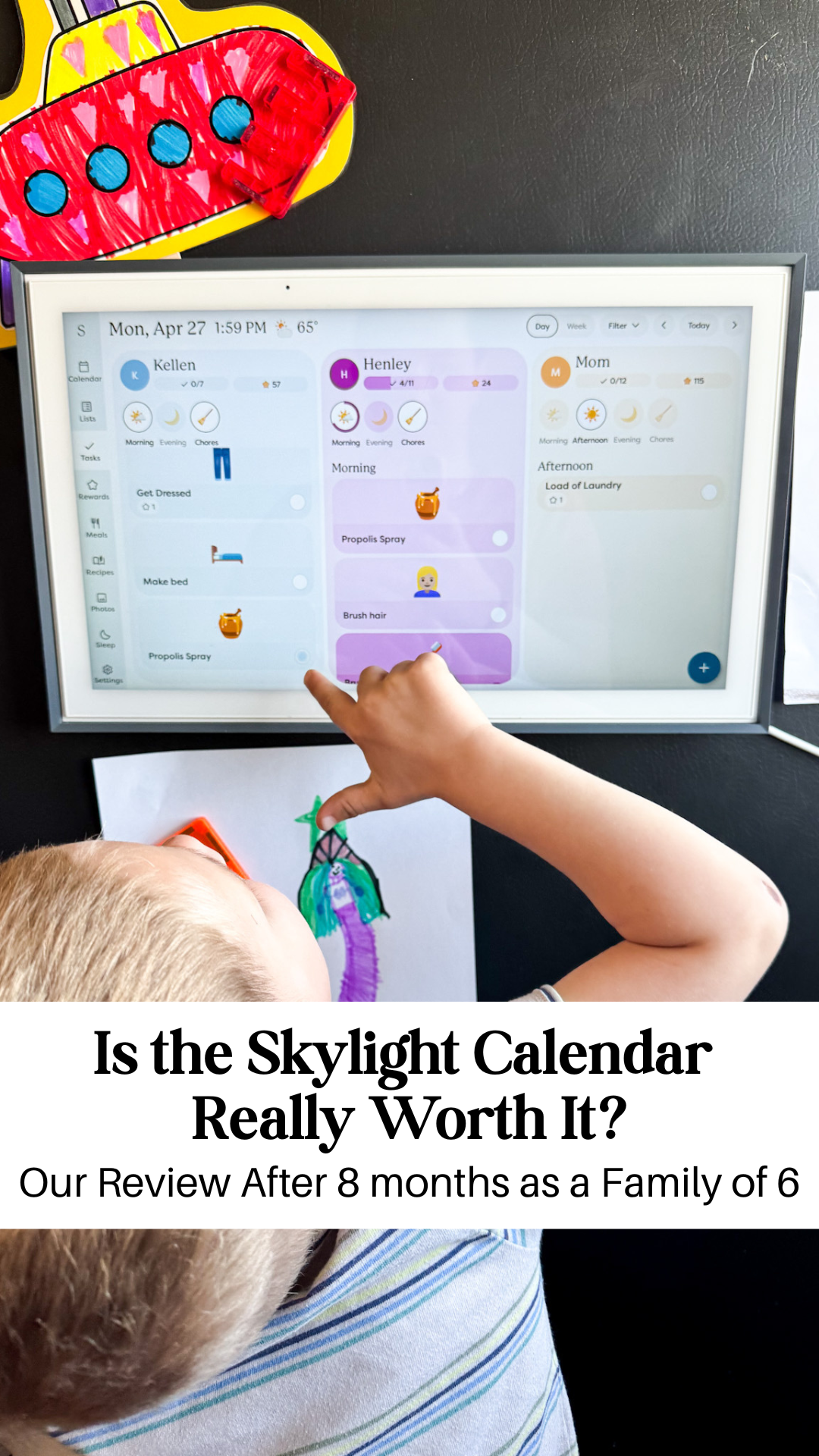
My Honest Review of the Skylight Digital Calendar after 8 Months
If you’ve never heard of the Skylight Digital Calendar, it’s basically a tablet in your home that simplifies SO many of the things us moms have running through our minds all day!
I had seen it on social media, but since my kids are young & I didn’t think our schedules were that busy yet, I put off the purchase for a while. My husband even wanted to get me one for Christmas last year & I told him I didn’t think we’d really use it. Well, this last fall as we were gearing up for my oldest to start kindergarten, my husband was working crazy long harvest hours and I was sick & pregnant, I figured it was a good time to try it!
We’ve been using it daily for 8 months now & this is my honest opinion of it and how our family has used it!
What is a Skylight Digital Calendar?
It is kind of like a big tablet that is mainly a digital calendar that syncs to your phone or whatever other digital calendars you use so that the whole family can see what’s on the schedule. It also has the ability to have your meal plan with recipes, chore charts for kids(with rewards if you choose), photo slideshow, grocery lists, to-do lists and more!
Basically, I had all sorts of papers and charts already on my fridge. One for our meal plan, another for the grocery list, each kids’s chore chart, family calendar, etc. And this simplifies it all into one!
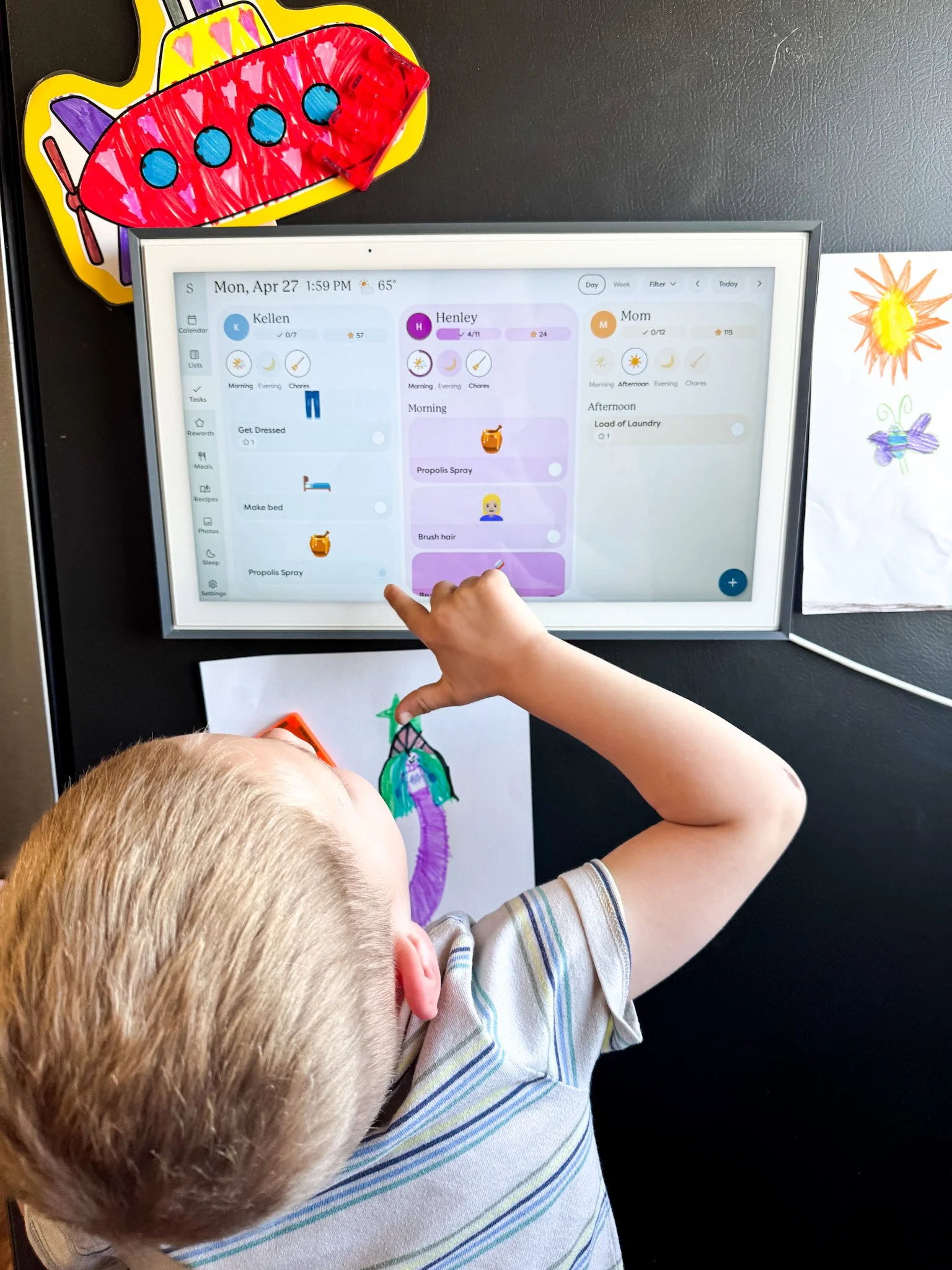
You can mount it on the wall or put it on the counter, I have it on the side of our fridge. It also comes in three sizes, 10”(perfect for a desk), 15”(this is what we have), and 27”(great for families with a complicated schedule or lots of kids). We have it in the kitchen where everyone can easily see it.
It syncs with the Apple calendar I use on my phone & auto updates when I change, add or delete an event from my phone. It also has color coded profiles for every family member so everyone can easily see their schedule from a glance. My oldest is 6 and still learning to read, but when she sees her color on a day, she knows it’s for her and asks what it is.
3. Setup
It’s super easy to setup! It comes with the mounting hardware to mount it to the wall or a stand to use it on the counter. I didn’t have a great place on a wall or counter for it, so I ordered these super strong magnets and have it on the side of my fridge. The magnets are SO strong and it hasn’t budged once since being mounted.
You will have to connect your calendars from whatever digital calendar system you currently use. I use Apple Calendars & synced every family member’s calendar to the Skylight in a few minutes.
The slideshow feature is really fun, especially for our kids. I send photos from my phone to the app and within seconds they’re uploaded to the calendar and included in the slideshow. My kids love to sit and just watch all the photos scroll by and comment on the things they remember.
4. What We Loved (Pros)
Break into skimmable sub-bullets:
Visibility: We can all see what our schedules look like easily. It’s in a high traffic area of our home where everyone can see it. The color coding makes it easy for our kids to know if they have anything going on since they all know what their color is.
Meal planning feature: I have meal planned on paper for the past 8 years & I love this so much more! I can add my daughter’s school breakfast & lunch menus so she can decide if she wants hot lunch or make cold lunch. I also add all our weeknight dinners to it. It can store recipes as well! You can use the Side kick feature to import a recipe or blog post and it will turn it into a recipe page that you can view on the skylight so you don’t have to print anything or dig through your phone for the recipe. You can also use this feature to add items to your grocery list!
Chores / To-Dos: This is probably my favorite feature! Not only has it been amazing for teaching my kids routines, responsibility & independence, it gives them the ability to earn Stars that they can redeem for rewards. Right now they can choose between cash or something like picking the next flavor of ice cream I buy.
Syncing: It syncs seamlessly to my Apple Calendar. Anything I add, change, delete, move, etc on my phone automatically changes on the Skylight. No more having to remember to write down appointments or change plans on a physical calendar when I get home.
Reduces mental load: If I could give every mom the gift of a lighter mental load, I WOULD! And this has done just that for myself. It is basically my brain outside of my body that the rest of my family can see without needing to ask me a million times.
Updates: The Skylight team has a very involved Facebook page where they are constantly taking user’s suggestions into account and always adding new & better features to make it even better for families & helping with any problems anyone encounters.
Countdown Feature: You can set countdowns to any event that get shown on the top of the calendar and my kids LOVE this! Whether they’re counting down the days to a birthday, vacation or holiday, they check every day to see how many more days left, and I don’t have to answer that for them every single day they ask.
5. Things I Don’t or Didn’t Love.
Subscription Required for Some Features: I am not someone who loves to pay for subscriptions and you could definitely not have one and still love this calendar. For us though, some of the upgraded features(rewards, slideshow, sidekick) were worth paying the subscription price for.
Purchase Price: Now I will say that it is completely worth it, but it did take me a long time to pull the trigger. In fact, my husband almost bought one for me last Christmas & I told him not to because I didn’t think it would help that much and I couldn’t justify the price. Then I got pregnant with my 4th kid & my kids were starting school & I knew I needed something to help lighten my load so I bought it myself and haven’t regretted it for a day since!
Be honest but fair:
Limited customization of calendar colors or views.
Can’t connect some types of shared calendars (if you had issues).
Subscription required for premium features (mention what features are paid).
The price of the device — is it worth the investment?
6. How Our Family Actually Uses It Daily
Mom & Dad check schedule for that day
Kindergartener checks school menu
Kids check off morning chores/tasks
Mom checks what’s for dinner to pull meat out of the freezer
Kids can see what’s for dinner w/out asking
Whole family can add items to various lists(grocery, Costco, to-do, etc)
Kids watch photo slideshow while eating snacks
Mom checks off cleaning tasks throughout the day
Mom cooks dinner using the recipe on the Skylight
Kids do evening chores/tasks & earn Stars
Mom plans meals for the week
7. What’s Changed After 7 Months of Use?
Our family is more organized, no more asking me a million times what’s going on that week or being surprised when I bring up something that’s planned.
My kids(especially my 6 year old) are independently checking off tasks that I used to have to remind them to do a million times.
Nobody is asking me what meals are. My kindergartener can see the school breakfast & lunch menu without me having to pull out the school menu app and everyone can see the dinners planned.
My fridge door & mental headspace are so much clearer. Everything is housed in the Skylight instead.
I am more on top of cleaning my home & taking care of myself because I have a “chore chart” for myself.
8. Who I Recommend the Skylight Calendar For
Literally any mom with kids at home, even if your kids are still really young without schedules, you will love it.
Visual learners and kids who need to see the plan. I’ve seen some families have a second calendar that they will keep on another floor of their home near kids rooms so they can see everything there as well.
Parents who are tired of answering the questions “What’s for lunch at school today?”, “What am I doing after school today?”, “Are we doing anything this weekend?”, “How many more days until Spring Break?”, or “What’s for dinner?”.
9. Who It’s Not For
Someone who prefers their calendar, lists & charts in different locations around the house
Single individuals who keep all their information in their phone & are happy with that system
10: FAQs
Does Skylight require a subscription?
No, but for some of the features I would like to have(chore rewards, screensaver, meal planning, etc) it does. Right now it’s $79/year which is 100% worth it, even though an additional subscription is kind of annoying.
Can multiple people add to it?
Yes! You can have the app on multiple phones and sync multiple calendars.
Final Thoughts: is it worth the price tag?
Absolutely! I originally thought that only families with a lot of older kids with busy schedules could benefit from one, but now that I have one, I think everyone could benefit from having one. Even with young kids & only one in school, it’s totally worth it to me and I know it’ll get even more valuable as our family grows older & our kids get more involved in school & activities.
And they just came out with a a new version that is so pretty with different frame colors available.